Paste a Pin link, choose the quality you want, and the video lands in your folder as a real MP4 file — with the cover image, optional trim range, and a built-in encoder for Story Pins. No account, no watermark, no browser extension.
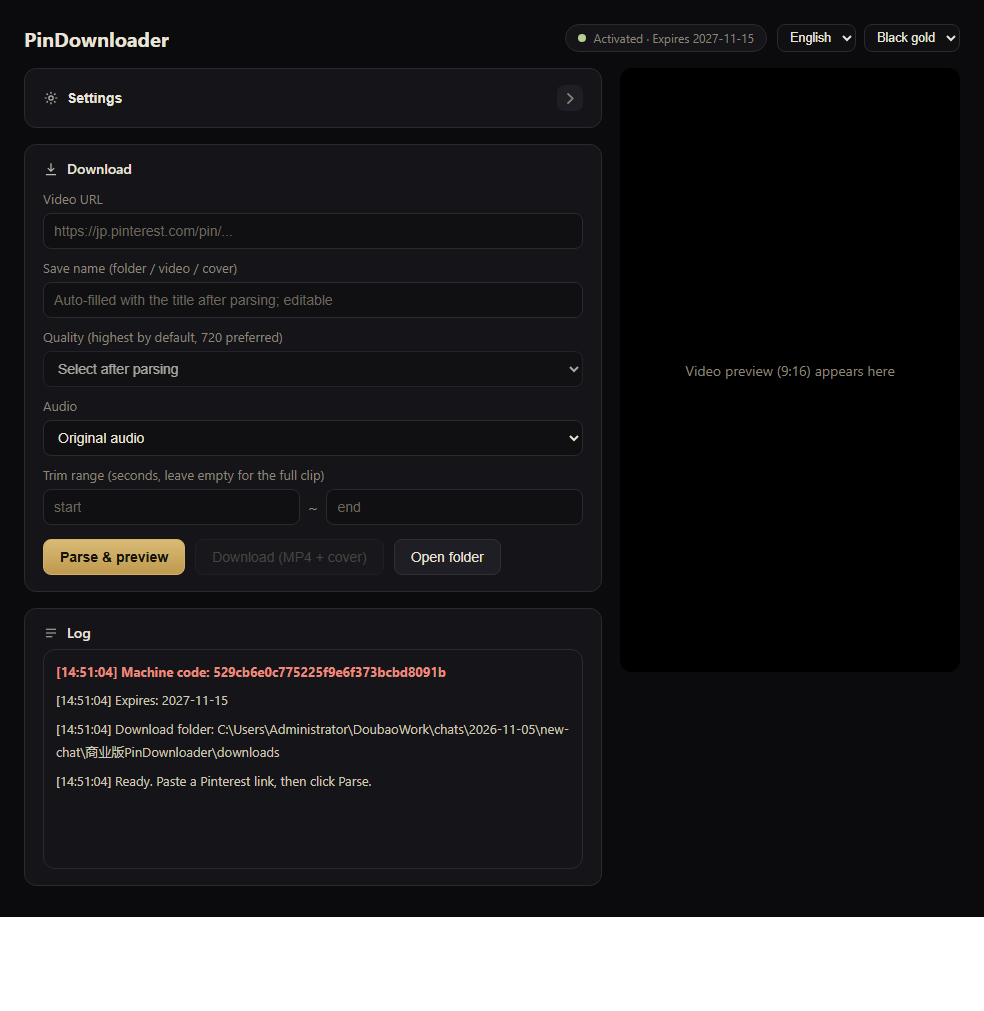
No dashboards, no accounts, no “upgrade to unlock”. Just a parser that gets the highest variant Pinterest is serving and writes it to disk.
Reads the HLS master playlist and lists every variant (720w, 540w, 360w, 240w…), so you pick instead of getting whatever a thumbnail shows.
Progressive MP4 when Pinterest exposes it; otherwise the bundled encoder merges the HLS stream into a normal, seekable MP4.
Downloads the original cover at the same time, named to match the video, so your library looks tidy.
Type a start and end in seconds and only that slice is written. Useful for clipping a wallpaper loop or a hook.
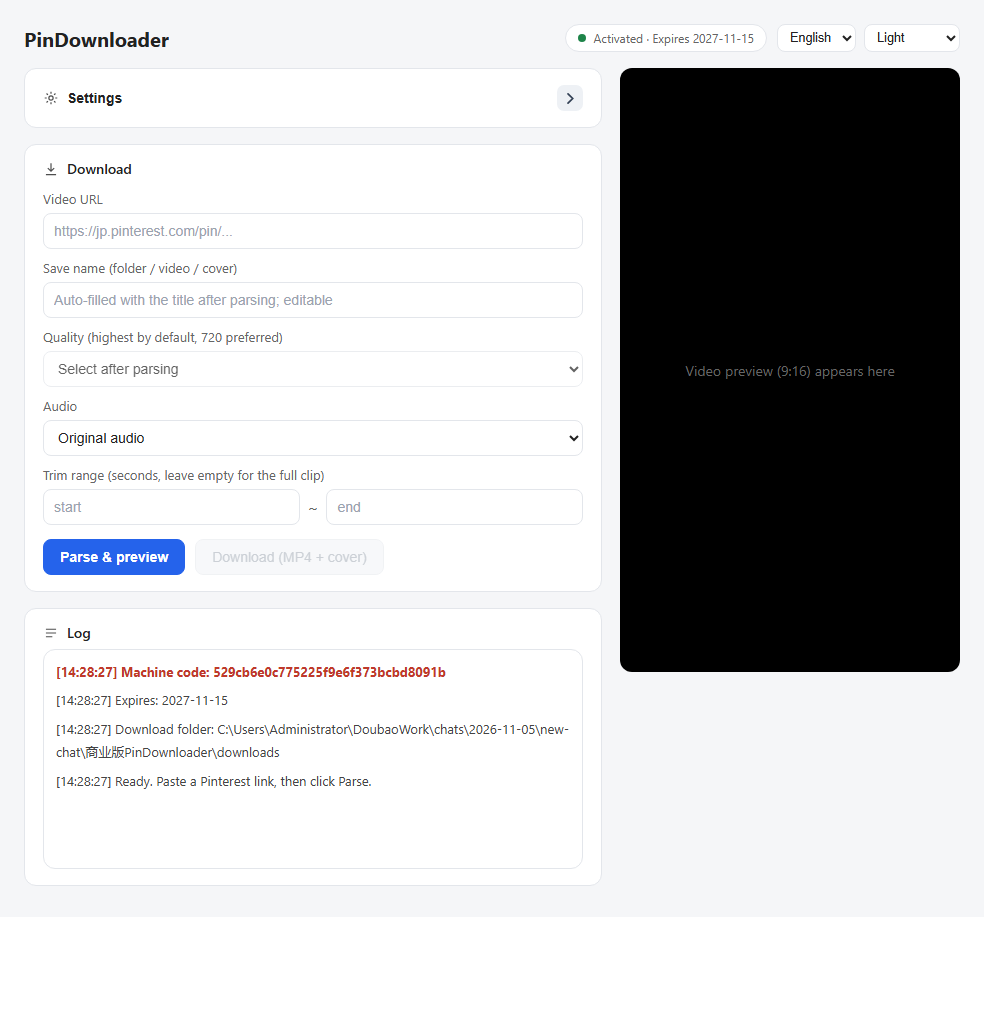
Switch language and skin (black-gold or light) from the top-right dropdowns. The choice is remembered.
The page fetch, quality probing and encoding happen on your machine. No Pinterest login, no cookies, nothing uploaded from your library.
Copy the Pin link from Pinterest, paste it, press Parse.
Works with pinterest.com/pin/… and country domains such as jp.pinterest.com.
The app lists every quality it found and plays the clip inline so you can confirm it is the right one.
Files go to your chosen folder. “Open folder” jumps straight there with the new file selected.
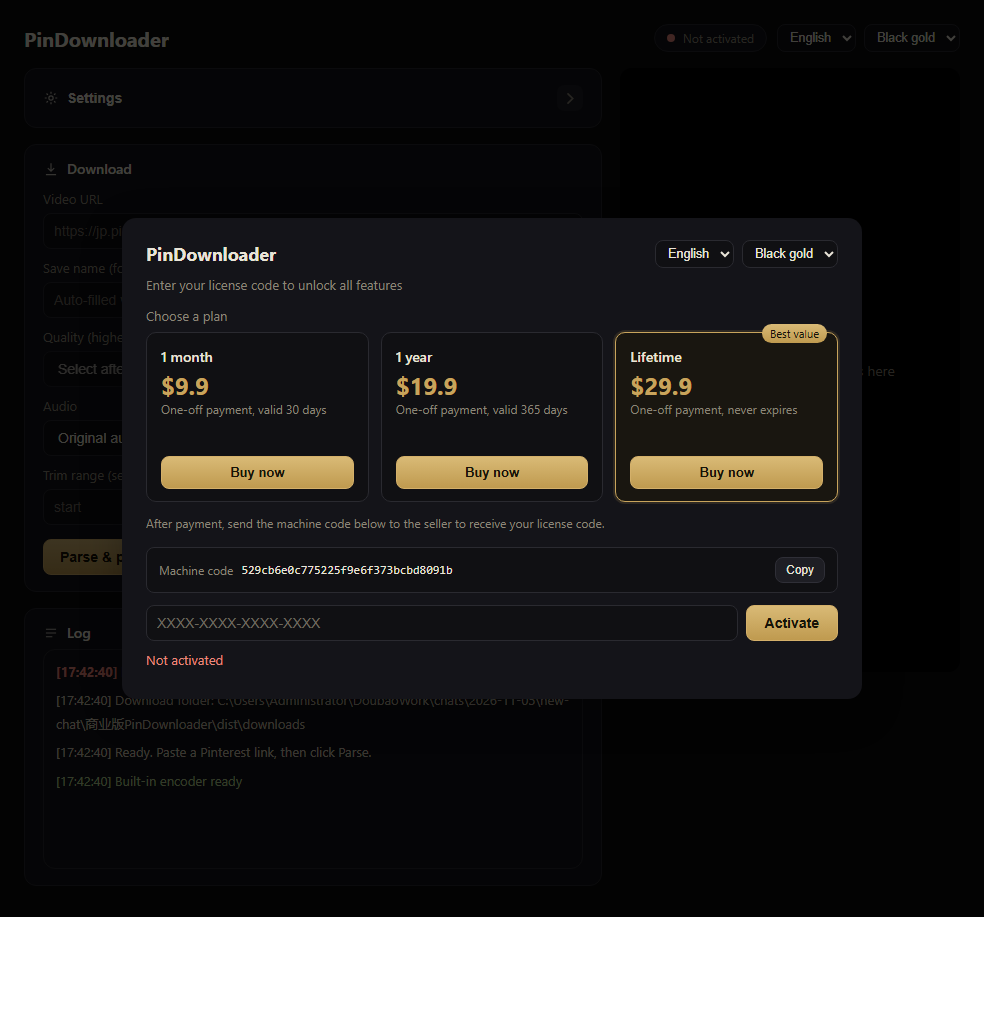
No subscription traps: every plan is a single payment. A license code is bound to one PC and can be moved only by the seller.
How buying works: install the app, click Buy now on the plan you want — PayPal opens in your browser — then send the machine code shown in the app to the seller and you get your license code back, usually within minutes.
Windows 10 / 11 · 64-bit · 86 MB · no installer, just run the exe
Download for WindowsIf something is missing, mail us — the address is at the bottom.
downloads folder next to the exe. “Open folder” takes you straight to the last file. PinDownloader